


Improvements
- FFF New and Optimized Functions
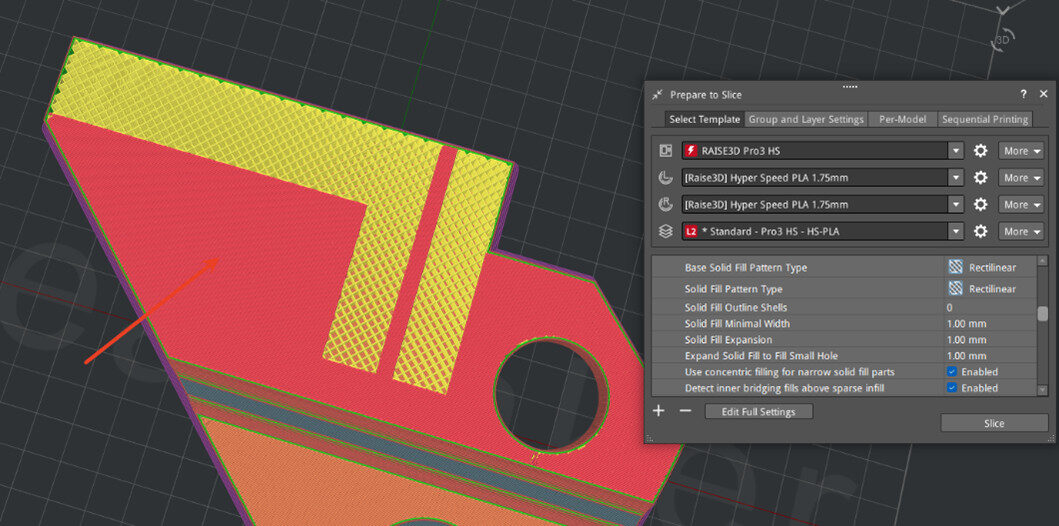
- For Solid Filled Bridge Detection, Consider the Sparse Filling underneath
- This feature is currently only available when the option and bridge structure detection are both enabled.
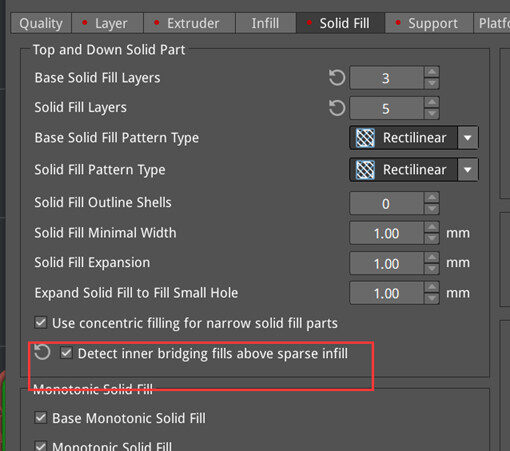
- When enabled:
- When disabled:
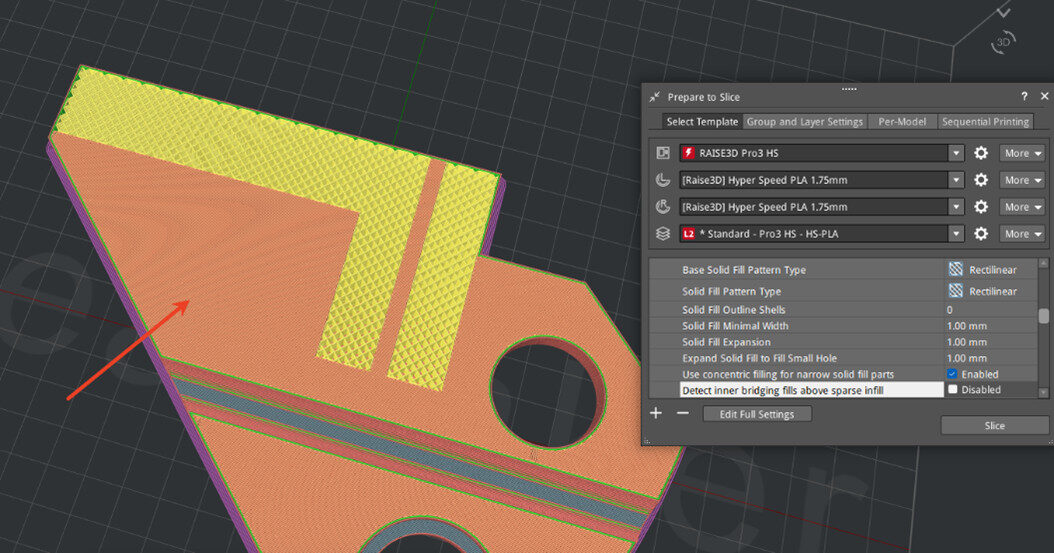
- For solid fills within the model, if the preceding layer is sparse fill, the current solid fill will also be recognized as a bridge structure. The bridge structure speed, flow rate, and fan speed will then be used for printing.
- Improve the printing quality of solid fills inside the model under high-speed printing, and reduce the number of solid fill layers required in the slicing template.
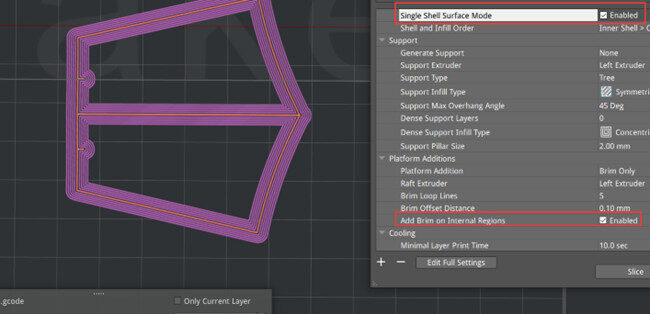
- Inner Brims Can Be Generated under Single Shell Surface Mode with Single-wall Thickness
- FFF Slicing Template Update
- Added New FFF Slicing Templates
- Added new slicing templates for Raise3D Pro3 HS Series, 0.6mm nozzle
○ Hyper Core PPA CF25
○ Hyper Speed PET CF
- Added new slicing templates for Raise3D E3, 0.4mm nozzle
○ Hyper Speed PET CF
○ Hyper Speed PETG CF
○ Industrial PPS CF
- Added new slicing templates for Raise3D E3, 0.6mm nozzle
○ Hyper Speed PET CF
○ Hyper Speed PETG CF
○ Industrial PPS CF
- DLP Slicing Template Update
- Raise3D DF2+ Slicing Template Update
- Added new resins and slicing templates:
○ Henkel LOCTITE 3D MED3394 Black, 0.1mm V1.0
○ Henkel LOCTITE 3D MED3394 White, 0.05mm V1.0 and 0.1mm V1.0
○ Raise3D High Clear V1, 0.1mm – Standard V1.1
○ Raise3D Standard Black V1, 0.1mm – Standard V1.2
- Updated existing slicing templates:
○ Raise3D Standard Black V1, 0.05mm – Standard V1.3
○ Raise3D Standard White V1, 0.05mm – Standard V1.2
○ Raise3D Rigid 3K Grey V1, 0.05mm – Speed V1.1
- Optimized General Functions
- Adjustment for Text and Related Functions
- For Text, Measure, and Drainage functions, the model no longer displays the material color, but instead displays a uniform near-white color, for easier observation and operation.
- For Text function, the selected model does not display its bounding box.
- For Text function, after selecting the text, pressing the Delete key on the keyboard will delete the selected text.
- Other
- Disabled the action of right-click activation in the right-click menu and the menu in the model list panel.
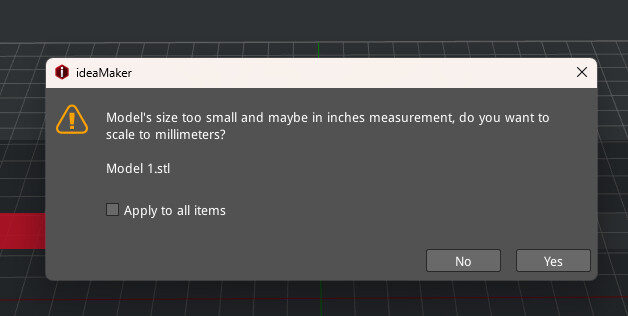
- When the size of multiple models is checked with issues, adding „Apply to all items“ to the pop-up window to process all models at once.
- For Support Painting and Color functions, click the [List of models] button to exit the current function mode.
- Bug Fixes
- Fixed the issue of calculating the printing time for each layer for FFF slicing preview.
- Fixed the issue with start point calculation when the option „Seam relative positions“ was enabled.
- Fixed some coloring issues
- Fixed the issue of the second layer of the wipe tower being suspended in the dual-nozzle printing process.
- Upgraded the libcurl library version to resolve the CVE-2024-7264 issue.